


Easy Draw, Anyone Can Draw
4.446.00 Reviews
App Specs
- Version
- 1.4.3
- Updated On
- License
- Free
- Downloads
- 1,000,000+
- Developer
- Smart Technology Global
- Categories
- Art & Design
- Platform
- Android
Screenshots
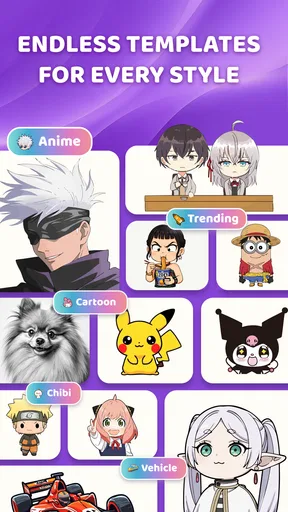
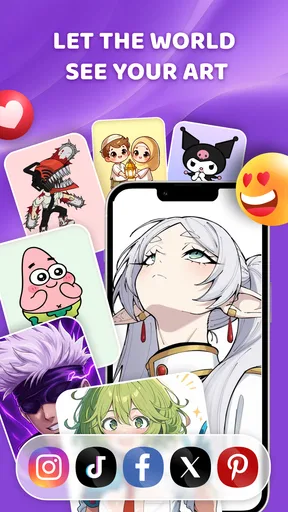
 Analysis by AppCompare
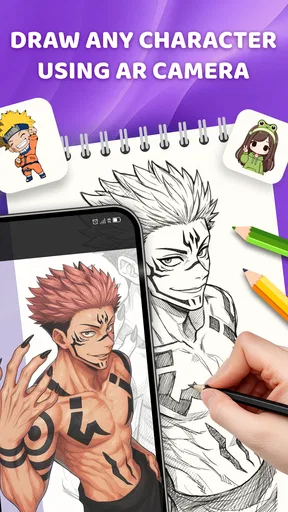
I like the idea of using a phone camera as a drawing aid because it makes practicing feel more approachable than facing a blank sheet. Easy Draw - AR Camera Sketch is an art-and-design app from Smart Technology Global that uses augmented reality to help you trace an image onto paper. It is free to install, and its Everyone age rating makes it accessible to a broad range of users. The appeal is straightforward: rather than promising to turn you into an artist overnight, it gives you a visual guide to work from while you draw by hand.
What you get without paying
The cost is easy to understand: the app is free. That makes it simple to try as a casual drawing tool without committing money up front. Its average rating is 4.6 from around 7,500 ratings, and it has over a million installs, suggesting that many people have found the idea worth exploring. I would treat those figures as a useful snapshot of interest, not as a guarantee that the app will suit every phone or drawing style.
It is currently version 1.2.7 and supports Android 7.0 or later. The release date is December 25, 2025, so anyone considering it should check that their device meets the stated Android requirement. The confirmed price tells me what access costs, but it does not tell me whether every possible tool or future feature is included indefinitely. I would install it for the free tracing workflow, then judge its value by how well that workflow fits my routine.
Where the tracing approach earns its place
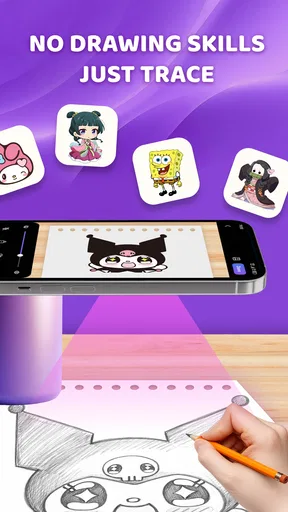
The practical value is the bridge between a reference image and a hand-drawn result. A beginner can use an outline as a starting point, while someone with more experience can focus on proportions or repeat a shape more consistently. That is a different kind of help from a standard drawing app: those usually offer a digital canvas and tools for making marks on screen, while this app’s central idea is to use the camera view as a guide for drawing on paper.
For example, I can imagine using it at a kitchen table to copy a simple animal illustration onto a birthday card. I would choose a reference with clear shapes, place the paper on a steady surface, and trace the large forms before adding details freehand. The app is most useful there as a practice aid, not as a substitute for deciding where shadows, texture, or expressive lines should go. The paper-and-pencil part remains yours, which is exactly why the result can feel more personal than a digital filter.
Tradeoffs to keep in mind
Tracing helps with placement, but it can also make a drawing look stiff if I follow every edge without thinking about line weight or simplification. For practice, I would trace only the main outline first, then hide or ignore the guide and add details from observation. That small change turns the exercise into a way to learn shapes rather than merely reproduce them. It is also a better fit for people who want to improve than for anyone expecting an automatic finished illustration.
Camera-based drawing has a physical tradeoff, too: the phone, reference, and paper need to stay in workable positions while you draw. I would start with a short session and a simple image, keep the sheet from shifting, and avoid choosing a reference packed with tiny details. If the setup feels awkward on a particular surface, a printed reference beside the page may be more comfortable. A traditional lightbox or tracing paper can be a better choice when you need a fixed, hands-free guide, while a regular drawing app is more suitable if you want to finish and edit artwork entirely on screen.
Worth Reading Before You Choose

Flipboard Shows What News Apps Must Do Beyond the Feed

Switching to Android Auto Means Rethinking Your Driving Routine

Google Calendar Makes a Crowded Week Easier to Manage

Ludo King Makes the Most of the Minutes Between Plans

Baby Panda World Brings Quick Play to Modern Phones, but Its Game Library Feels Busy

ESPN’s Live Game View Makes Following Close Games Easier
Who is likely to enjoy it
I would recommend trying it if you are learning to draw, helping a child practice, or looking for a low-pressure way to copy a simple reference onto paper. It can also suit hobbyists who want to plan a rough motif before painting or decorating a personal project. The app’s value is not that it removes the need to practice; it gives you a starting structure so you can spend more attention on the parts you want to develop.
I would skip it if your main goal is freehand training with no visual aid, professional illustration with precise digital layers, or a completely hands-free tracing setup. In those cases, a sketchbook, a full-featured drawing program, or a physical tracing tool may serve you better. I would also avoid judging your artistic progress by how accurately you can follow a guide: a clean trace and an independently observed drawing are different skills.
The Magic of Augmented Reality
So, here's the deal with Easy Draw - AR Camera Sketch. It’s not just about drawing; it’s about drawing in your real-world environment. Imagine being able to sketch a masterpiece right in the middle of your living room or doodle on a park bench without leaving a mark. The app uses the phone’s camera to overlay your sketches onto the real world through your screen, creating a seamless blend of reality and imagination.
How It Works
Getting started is a breeze. You open the app, point your camera at a flat surface, and voila! Your canvas is ready. The interface is super user-friendly, even for those who aren’t exactly tech-savvy. You’ve got a variety of tools at your disposal, from pencils and brushes to colors and textures. It’s like having a mini art studio in your pocket.
One of my favorite features is the ability to adjust the opacity of your sketches. This means you can make subtle, ghostly outlines or bold, vivid strokes, depending on your mood. Plus, the app lets you save your creations to your gallery, so you can show off your AR artwork to friends and family. Trust me, it's a great conversation starter!
Getting Creative
There’s something incredibly satisfying about watching your drawings come to life in the real world. Whether you’re sketching a cute cartoon character on your coffee table or designing an elaborate mural on your bedroom wall, Easy Draw - AR Camera Sketch makes it all possible. It’s perfect for both seasoned artists looking to experiment with a new medium and beginners who just want to have some fun.
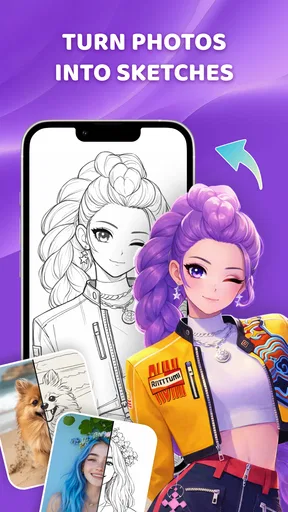
The app also includes an option to trace over images. So if you want to recreate that epic photo of your dog wearing sunglasses, go right ahead! It’s a great way to practice and improve your drawing skills without the pressure of starting from scratch.
The Social Aspect
What would an app be without a little bit of social interaction? Easy Draw - AR Camera Sketch allows you to share your creations directly to social media platforms. Whether you’re looking to inspire others or simply show off your artistic flair, sharing is as simple as a few taps. Plus, you can explore other users’ artworks, giving you endless inspiration for your next project.
And let’s not forget about the community aspect. Engaging with other users through comments and likes adds a fun, social dimension to the app. It’s like having a global art gallery at your fingertips!
A Few Tips to Get Started
If you’re new to the world of AR drawing, here are a few tips: Start simple. Experiment with different tools and textures to find what works best for you. And don’t be afraid to make mistakes—sometimes the best art comes from happy accidents.
Also, make sure you have good lighting. Since the app relies on your camera, a well-lit environment can make a big difference in how your sketches appear on-screen.
Making a tracing session more useful
For a first attempt, I would pick a subject with a strong silhouette—a leaf, a cup, or a simple animal—rather than a photograph with busy scenery. A clear reference makes it easier to tell which lines matter and reduces the temptation to chase every small mark. Once the basic outline is down, I would pause and look at the paper without relying on the overlay. That is a practical way to notice where the drawing needs a correction of your own.
Opacity is worth treating as a working control rather than a visual effect. A faint guide can help you see your pencil marks clearly, while a stronger one can be useful when you are first placing major shapes. If the reference is visually distracting, I would lower its prominence and work in sections instead of trying to copy the whole image at once. This keeps the app in a supporting role and leaves room for your own choices.
How it compares with other ways to draw
Compared with drawing directly on a phone or tablet, tracing onto paper preserves the feel of physical materials and gives you a result you can color or alter by hand. The compromise is that your work is not automatically a fully editable digital illustration. Compared with tracing paper, an AR camera guide can be more flexible about using a chosen image, but a physical overlay is simpler when you want a stable, uninterrupted view. Neither approach is universally better; the right one depends on whether you value digital editing, a paper texture, or a steady guide most.
It also differs from a step-by-step drawing lesson. A guide can show where an image’s contours sit, but it does not necessarily teach the sequence of decisions behind drawing it. If your goal is to understand construction, perspective, or anatomy, I would pair tracing practice with observation and structured lessons rather than rely on an overlay alone. Used selectively, though, tracing can reduce the initial frustration that makes some beginners abandon a sketch before they get started.
A realistic place in a routine
Picture having a quiet half-hour after dinner and wanting to make a handmade card instead of scrolling. I would choose one uncomplicated reference, set up at a bright table, and first trace only the outer shape. Then I would put the phone aside and add a personal detail—perhaps a different expression, a border, or a small background element. The guide gets the proportions moving in the right direction, but the final choices make the card feel like mine rather than a mechanical copy.
For a parent or teacher, the same approach can turn a short drawing session into a manageable activity: select a simple subject, let the learner follow the broad outline, then ask them to change one feature or add a detail from memory. That makes the exercise more engaging than copying every line exactly. I would still keep expectations modest; this is a drawing aid, not a replacement for supervision or a promise that every child will find tracing comfortable.
Final Thoughts
In a world where technology and creativity are constantly intertwining, Easy Draw - AR Camera Sketch stands out as a fun and innovative platform for artists of all levels. It’s a delightful way to explore your creativity while adding a touch of magic to your surroundings. Whether you’re an aspiring artist or just looking for a new hobby, this app is definitely worth a try.
So, what are you waiting for? Grab your phone, download Easy Draw - AR Camera Sketch, and start creating your AR masterpieces today. Who knows? You might just discover a hidden talent!
My buy-or-skip verdict
Since it is free to install, my recommendation is to try it if tracing onto paper sounds enjoyable and your device runs Android 7.0 or later. The clearest reason to keep using it is practical: a camera-based guide can make it easier to begin a drawing when proportions are the part that usually slows you down. I would not choose it as my main art tool if I need precise digital editing, a fixed hands-free overlay, or lessons that explain drawing fundamentals.
In short, I see it as a casual bridge between looking at a reference and making something by hand. Give it a simple subject, a steady setup, and enough light, and it can make a short creative break feel more inviting. If you enjoy the act of drawing but want a little help getting started, it is worth a try; if the tracing process itself is not what you want, a sketchbook or a conventional digital canvas is likely the better fit.
Pros
- Intuitive AR interface for easy sketching.
- Real-time sketch adjustments are seamless.
- Wide variety of brushes and tools.
- No lag even with high-detail drawings.
- User-friendly tutorial for beginners.
Cons
- Limited export options for drawings.
- Requires strong internet for updates.
- Some features locked behind paywall.
- Occasional app crashes during use.
- Limited compatibility with older devices.
FAQs for Easy Draw, Anyone Can Draw
What is Easy Draw - AR Camera Sketch and how does it work?
Easy Draw - AR Camera Sketch is an innovative app that allows users to create sketches using augmented reality technology. By pointing your device's camera at any surface, the app overlays a virtual sketchpad. Users can then draw directly onto the real-world environment, merging creativity with reality.
Is Easy Draw - AR Camera Sketch suitable for beginners?
Yes, Easy Draw - AR Camera Sketch is designed to be user-friendly for all skill levels. It includes a range of tutorials and intuitive controls that make it easy for beginners to start creating immediately, while also offering advanced tools for experienced artists seeking more complex creations.
What are the main features of Easy Draw - AR Camera Sketch?
Easy Draw - AR Camera Sketch offers a variety of features, including customizable brush settings, layer options, a wide color palette, and the ability to save and share your creations. The app also integrates with social media platforms, allowing you to easily showcase your artwork to friends and followers.
Are there any in-app purchases or ads in Easy Draw - AR Camera Sketch?
While Easy Draw - AR Camera Sketch is free to download, it does offer in-app purchases for additional features like premium brushes and effects. The free version contains ads, but users can opt for a subscription to remove these and enjoy an ad-free experience with full access to all features.
Can I use Easy Draw - AR Camera Sketch on both Android and iOS devices?
Yes, Easy Draw - AR Camera Sketch is available for both Android and iOS platforms. It is optimized to run smoothly on a wide range of devices, ensuring that users on either operating system can enjoy a seamless and immersive drawing experience.


